Maintenance Reference Masters
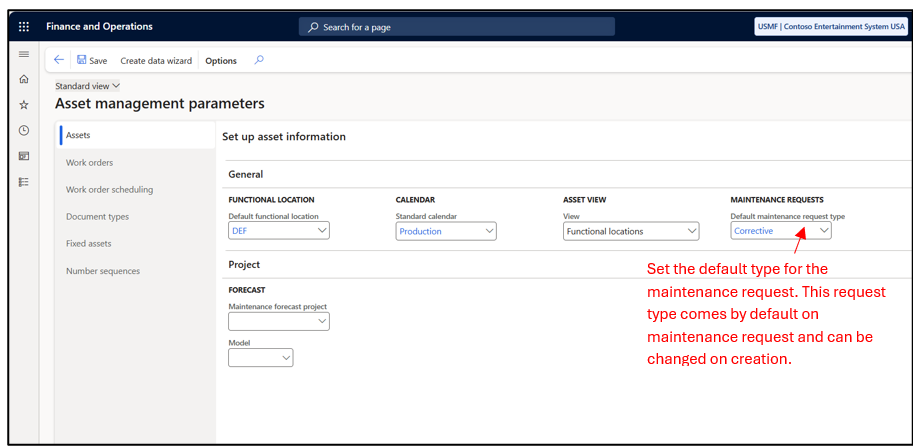
1) Asset Management Parameter
Asset Management–> Setup–> Asset Management Parameter–> Number Sequence
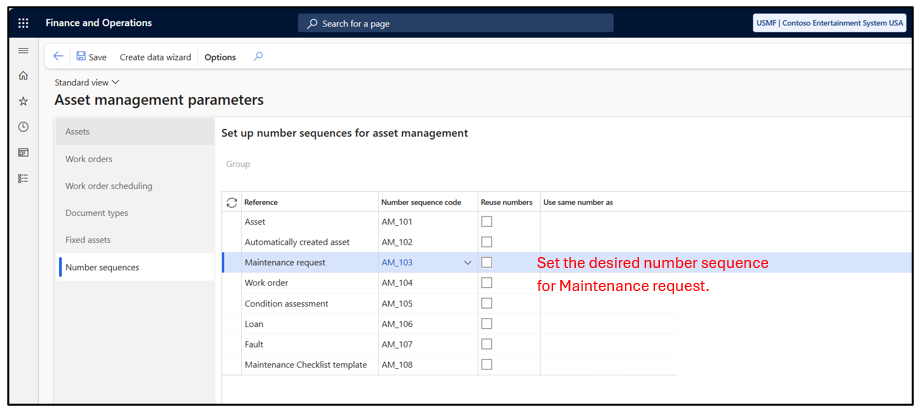
Asset Management–> Setup–> Asset Management Parameter–> Assets
2) Maintenance Lifecycle State: Maintenance request lifecycle states define the stages that a request can go through. Examples include Created, Active, and Ended.
Asset Management–> Setup –>Maintenance Request–> Lifecycle state
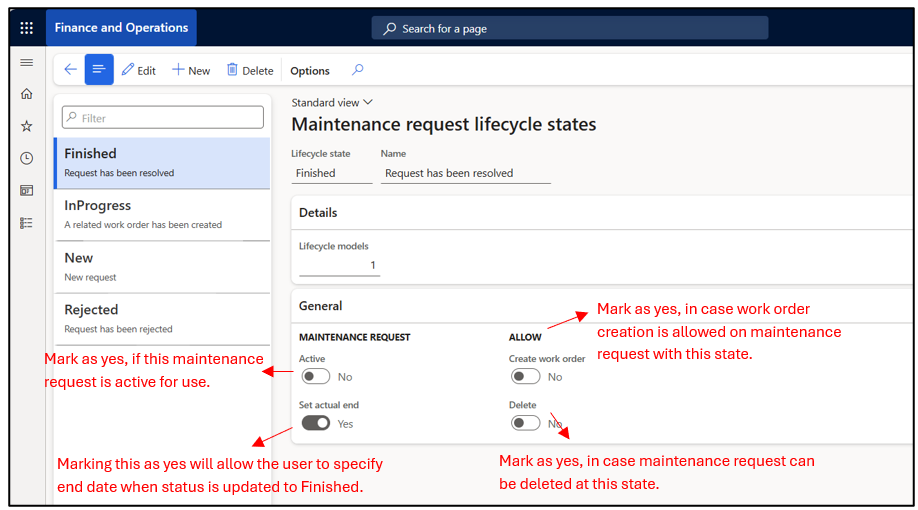
Note: When a maintenance request is converted to a work order, the maintenance request lifecycle state can be updated to Ended or Closed to indicate that the maintenance request is no longer active. This setup shall be done in work order lifecycle state setup.
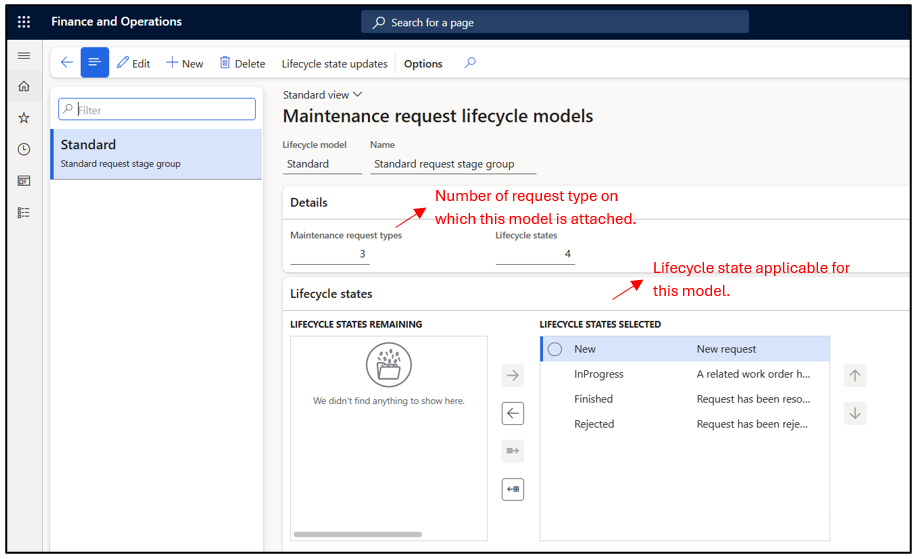
3)Maintenance Lifecycle Model: A maintenance lifecycle model is a group of lifecycle states applicable to a specific request type. Typically, a single lifecycle model is maintained and assigned to a request type; however, multiple models can be created based on requirements.
Asset Management–> Setup –>Maintenance Request–> Lifecycle Model
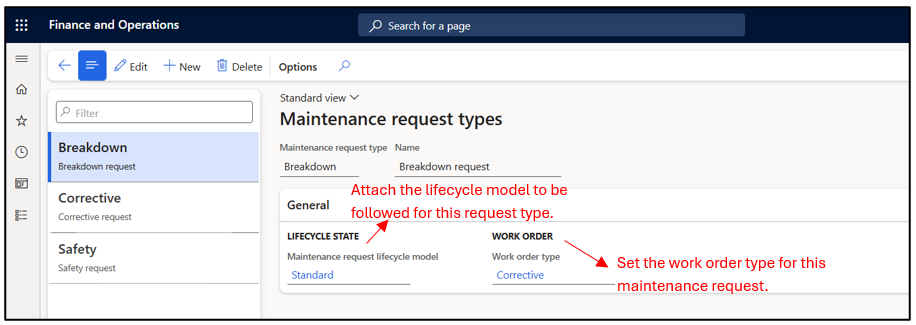
4) Maintenance Request Type: Maintenance request type defines the type of maintenance request that can be raised such as corrective, preventive, or inspection. It also controls how the request is processed.
Asset Management–> Setup –>Maintenance Request–> Maintenance request Type
5) Maintenance Job Masters: Navigate to Asset Management –> Setup–> Jobs
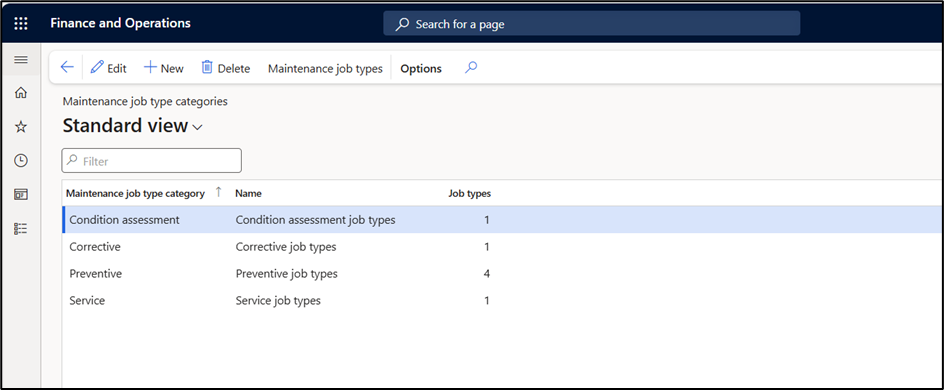
- Maintenance Job type categories: Maintenance job type categories are used to collect a group of maintenance job types for overview purposes. Examples: Calibration, Corrective, Preventive.
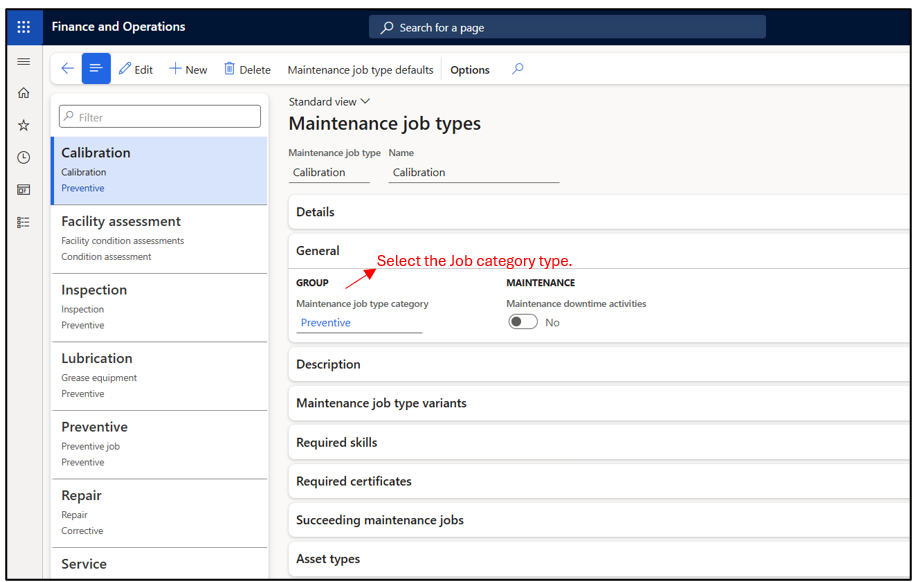
- Maintenance Job Type: Maintenance job types are linked to asset types and define the maintenance activities that can be performed for each asset type. Once specified, only those job types are available when creating a maintenance request. User can specify the required skills and required certificates to perform this type of job.
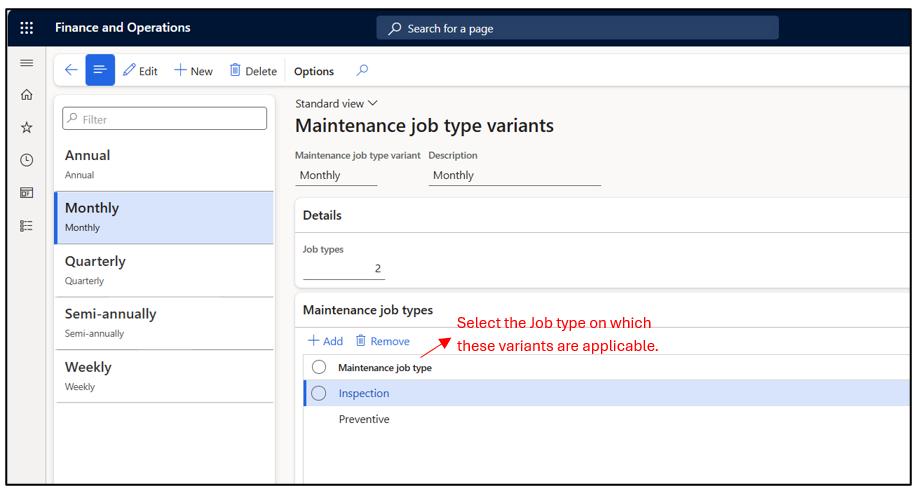
- Maintenance Job Type Variant: A maintenance job type variant defines variations within a maintenance job type. For example, a preventive job type may include variants like annual or monthly preventive maintenance or a service job type can have variation like Car 3000 Km, Truck 2500Km etc.
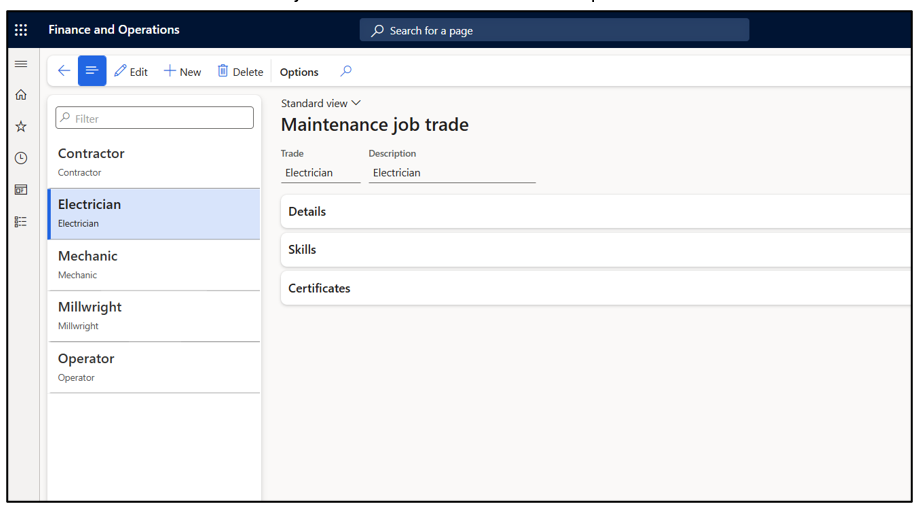
- Maintenance Job Trade: Maintenance job trade defines the trade or skill required to carry out a maintenance job, such as electrician, mechanic, or plumber.
6) Maintenance Fault Masters: Fault details help workers accurately capture and communicate the fault they are experiencing. Navigate to Asset Management –> Setup–> Fault
- Fault Symptoms: A predefined list of fault symptoms is maintained and can be selected by the worker while creating a maintenance request.
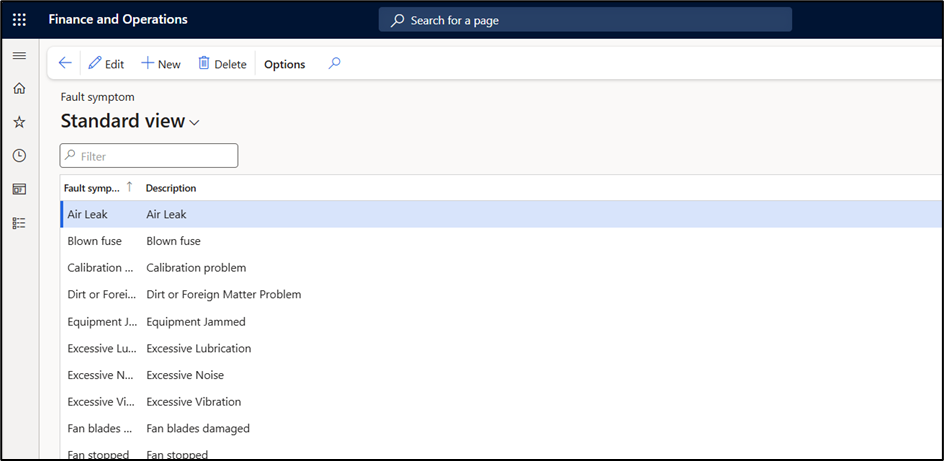
- Fault Areas: Fault type defines the nature of the problem reported, such as electrical, mechanical, or software related.
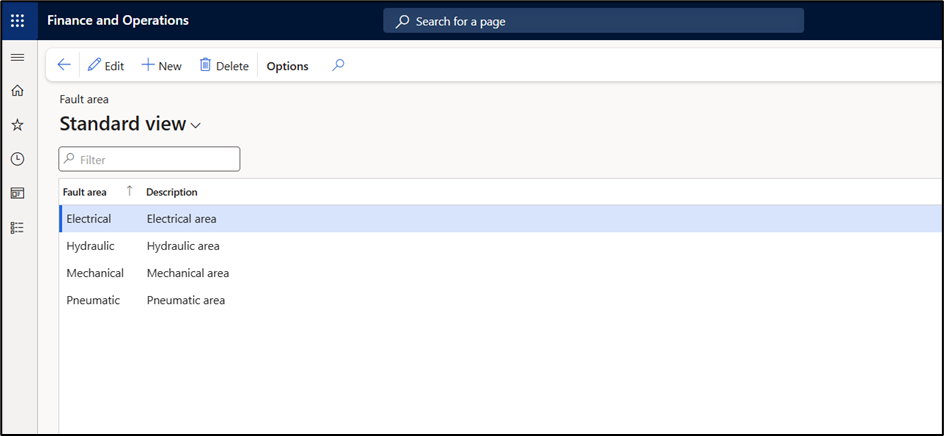
- Fault types: Fault area specifies the location or component of the asset where the fault occurs, such as motor, control panel, or conveyor belt.
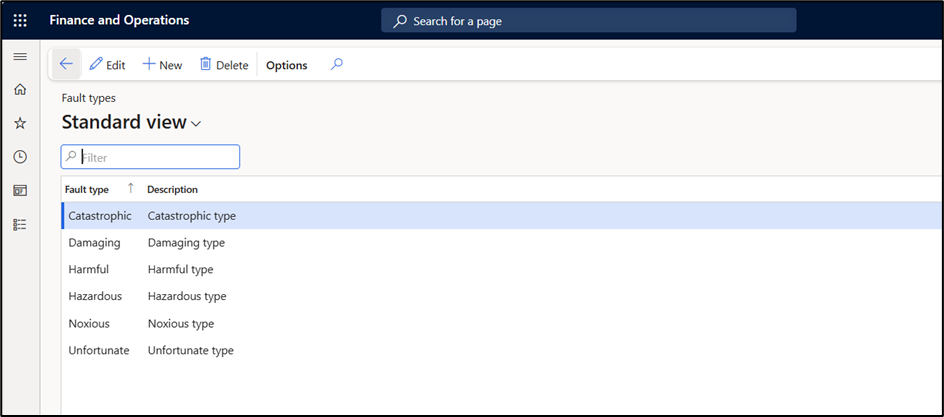
7) Maintenance Plan: Maintenance plans are created and are linked to assets on Asset Master. These plans can generate maintenance tasks based on-
- Time Intervals Maintenance can be scheduled based on fixed time periods, such as every week or once every six months.
- Counter Values Maintenance can also be scheduled based on asset usage, for example after a certain number of operating hours. The operating hours are tracked using counters, which are maintained on the asset master and can be updated manually. Based on the counter values and the defined setup, maintenance schedule lines are automatically generated when the batch runs.
Maintenance plans can be set on assets and functional locations. Maintenance plans on functional location are active for the assets currently installed at the location.
Navigate to Asset Management–> Setup –> Preventive Maintenance –> Maintenance Plan
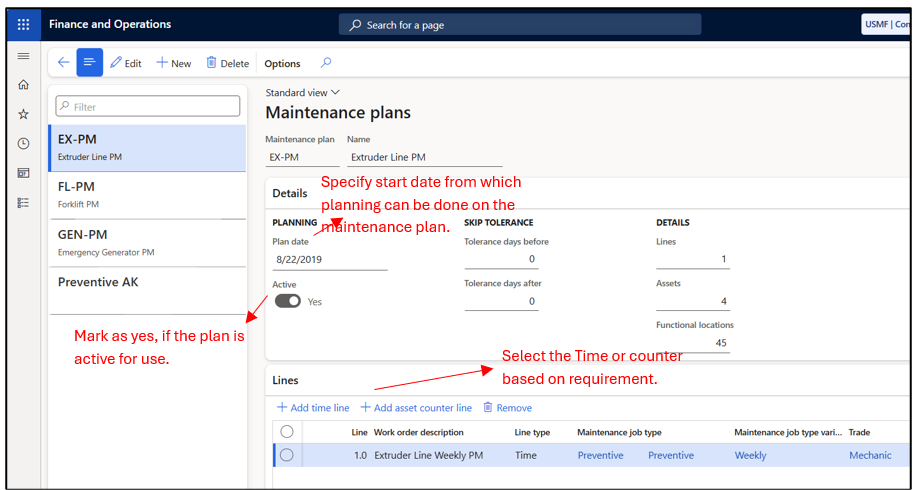
Specify Maintenance Job type, Job type variant, Trade, Interval type, Period and Period frequency.
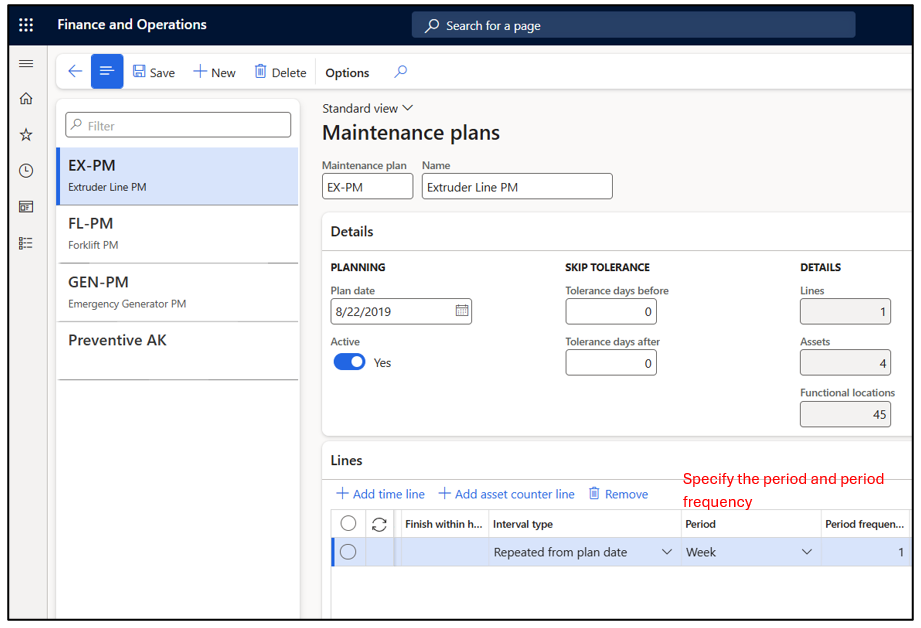
Refer to https://learn.microsoft.com/en-us/dynamics365/supply-chain/asset-management/preventive-and-reactive-maintenance/maintenance-plans for overview of different interval type.
8) Maintenance Round: Maintenance rounds allow you to perform preventive maintenance on a group of related assets in a single work routine by specifying multiple assets and their period and frequency. They can also be set up on multiple functional locations.
Maintenance Request Creation
There are two main types of maintenance: preventive (proactive) and corrective(reactive).
- Corrective Maintenance: This is performed when an issue occurs with an asset. In this case, a worker raises a maintenance request to fix the problem.
- Preventive Maintenance: This is planned in advance to avoid issues before they occur. Maintenance plans are created for preventive maintenance, which automatically generate maintenance schedule lines. Work orders can then be raised against these schedule lines to carry out the planned maintenance.
Corrective Maintenance
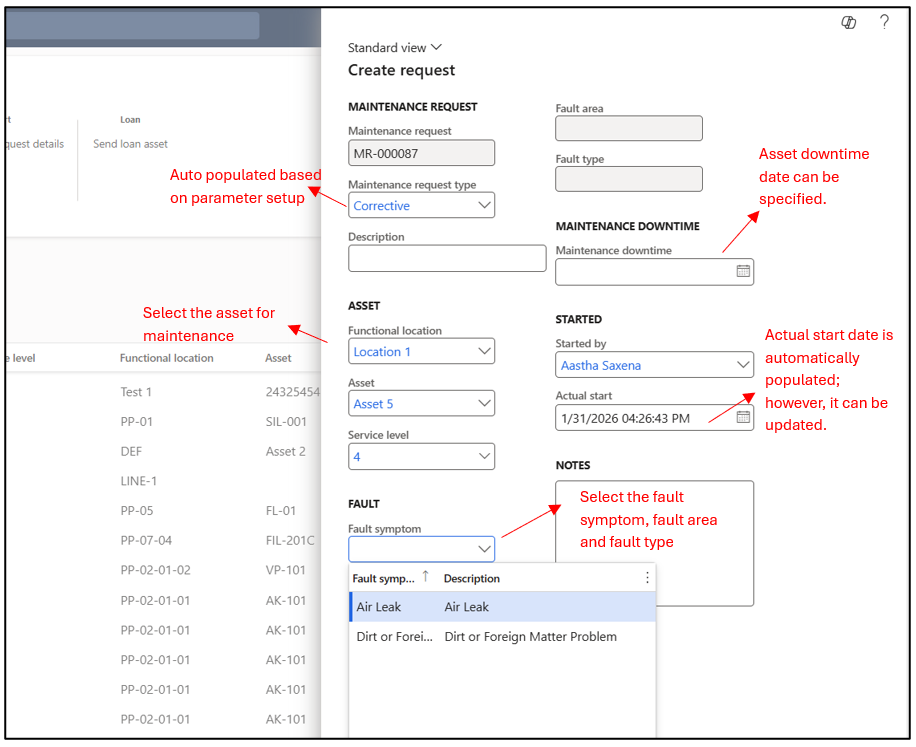
In order to raise a maintenance request, navigate to Asset Management –> Maintenance request –> All maintenance request.
Once a maintenance request is created, the manager can verify whether the request ID is genuine and update the request to the appropriate status. The request can either be rejected, or a work order can be created for execution.
Preventive Maintenance
Users can run the batch manually to create schedule lines or schedule a batch job for the same, which would run at regular interval. This can be done by navigating to Asset Management → Periodic → Preventive Maintenance → Schedule Maintenance Plan.
To view open maintenance schedule lines, navigate to Asset Management → Maintenance Schedule → Open Maintenance Schedule Lines
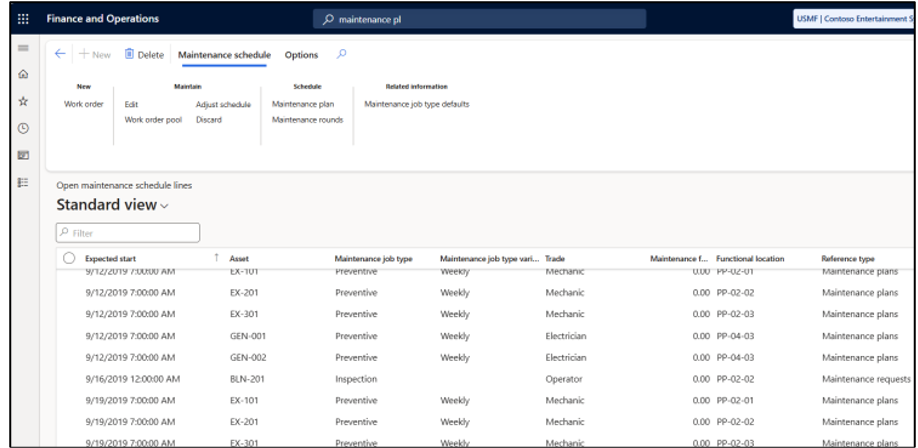
These schedule lines can then be used to raise work orders, assign resources, and track maintenance activities efficiently.
Hope you found this helpful!
Thankyou.