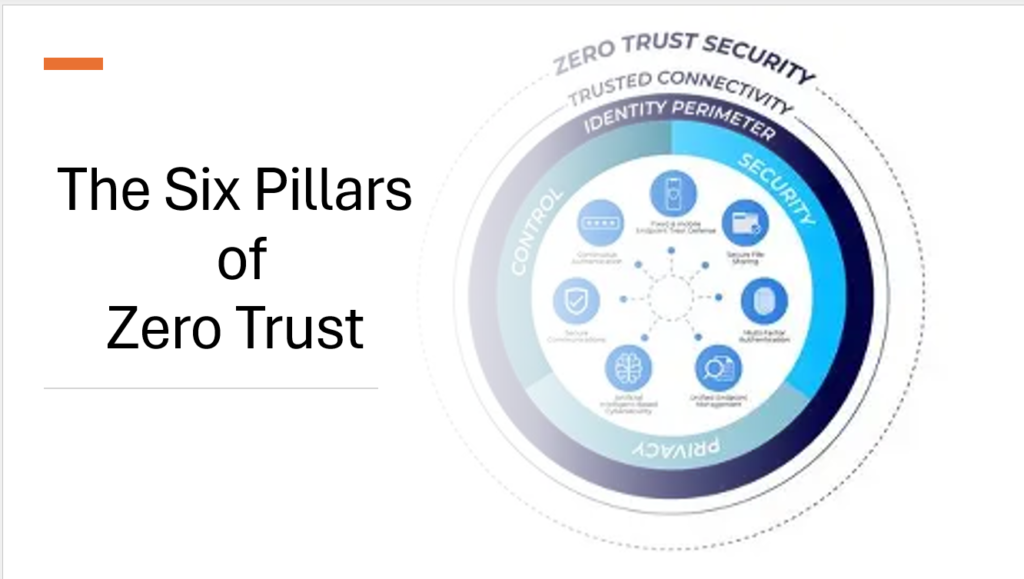
Microsoft’s Zero Trust isn’t just about the user, it covers six major area. These areas work together to create a stronger security strategy.
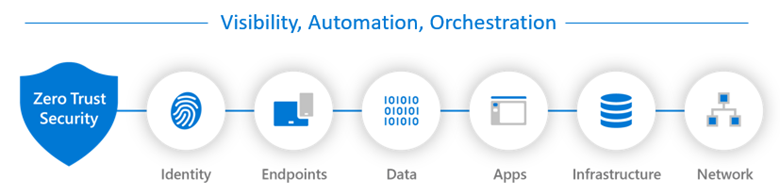
Source : Microsoft Learn
1. Identity
Identity is at the center of Zero Trust. Before allowing access, organizations need to know who the user is and whether that user’s request appears trustworthy. Microsoft Entra ID provides identity management, authentication, and authorization capabilities.Organizations can use technologies such as:
- Multifactor authentication
- Passwordless authentication
- Conditional Access
- Risk-based sign-in policies
- Windows Hello for Business
- FIDO2 security keys
- Microsoft Authenticator
The goal is to make stolen passwords less useful to attackers. For example, even if an attacker obtains someone’s password, Conditional Access can require another verification step or block the login if the sign-in appears suspicious.
2. Endpoints
An endpoint is simply a device that connects to company resources. This can include:
- Laptops
- Desktop computers
- Smartphones
- Tablets
- Other connected devices
These devices are important because attackers often use compromised devices as an entry point into an organization.Microsoft Intune helps organizations manage and secure these devices. Administrators can create policies requiring devices to meet certain security standards.For example, a company may require:
- Device encryption
- Antivirus protection
- Supported operating system versions
- Screen locks
- Other security configurations
If a device doesn’t meet the required standards, access to company resources can be restricted.Intune can also help protect corporate information on personal devices, which is particularly important for Bring Your Own Device (BYOD) environments. Endpoint security can also be combined with Conditional Access.This means that having the correct username and password isn’t enough. The device itself must also meet the organization’s security
3. Applications
Modern organizations use hundreds of applications, including cloud-based services and third-party tools. This creates another security challenge: shadow IT.
Shadow IT occurs when employees use applications that haven’t been officially approved by the organization. For example, an employee might upload company documents to a personal cloud storage account because it is convenient.
Microsoft Defender for Cloud Apps can help organizations discover application usage, identify risky applications, monitor user activity, and apply controls. Organizations can also use Microsoft Entra Application Proxy to provide secure access to certain on-premises applications without directly exposing those applications to the public internet.
4. Data
Data Loss Prevention (DLP) policies help prevent sensitive information from being shared inappropriately.
For example, imagine an employee tries to send a spreadsheet containing sensitive personal information through email.
A DLP policy could:
- Block the message
- Warn the user
- Allow the action only after confirmation
- Record the event for security investigation
DLP can work across services such as Exchange, SharePoint, OneDrive, and Teams. This helps protect data even when users are working across multiple Microsoft 365 services.
5. Infrastructure
Infrastructure includes the underlying systems and resources that support an organization’s applications and services. This can include cloud resources, virtual machines, databases, and other computing infrastructure. Microsoft Defender for Cloud helps organizations assess their security posture and identify potential weaknesses. For example, it might identify a virtual machine that:
- Is exposed to the internet
- Doesn’t have appropriate security protection
- Has a configuration issue
- Doesn’t meet an organization’s security requirements
It’s essential to enforce consistent governance over cloud resources to prevent misconfigurations and ensure compliance. To address this governance need, Microsoft Azure provides Azure Policy. Azure Policy is a powerful governance tool that enables organizations to create, assign, and manage policies that enforce rules and effects across cloud resources.
6. Network
Instead of assuming that everything inside the network is safe, organizations should control and monitor network access between systems and resources. Technologies such as Azure Firewall and VPN Gateway can help control network traffic and provide secure connectivity.
Network segmentation is also important. Rather than allowing every system to communicate freely with every other system, organizations can restrict communication based on business and security requirements. This makes it harder for an attacker to move from one compromised system to another.
Defender for Identity monitors network traffic for signs of lateral movement, such as credential theft or unauthorized access. It can detect attackers attempting to pivot across systems and alert security teams for immediate respond
Hope you found this helpful.
Thankyou