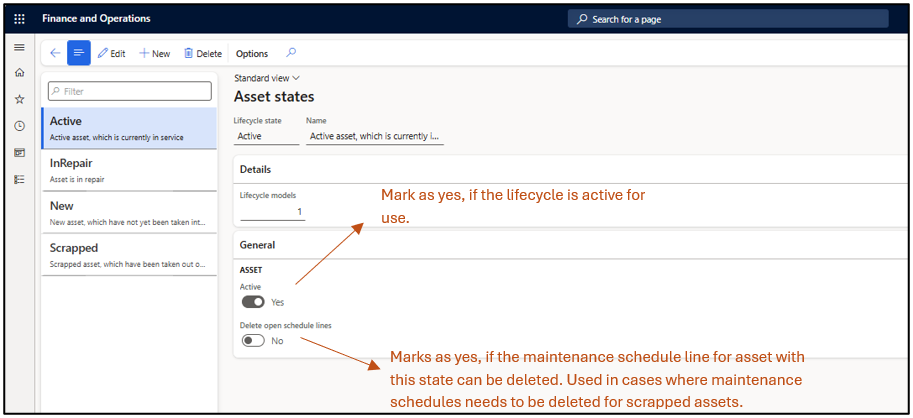
1) Asset Lifecycle state: Asset lifecycle states are used to define the physical condition of an asset. They are configurable and can be created based on business needs. For example: New, Active, In Repair, or Scrapped etc. These states are visible on the asset master reflecting its current state.
Asset Management–> Setup–> Assets –> Lifecycle State
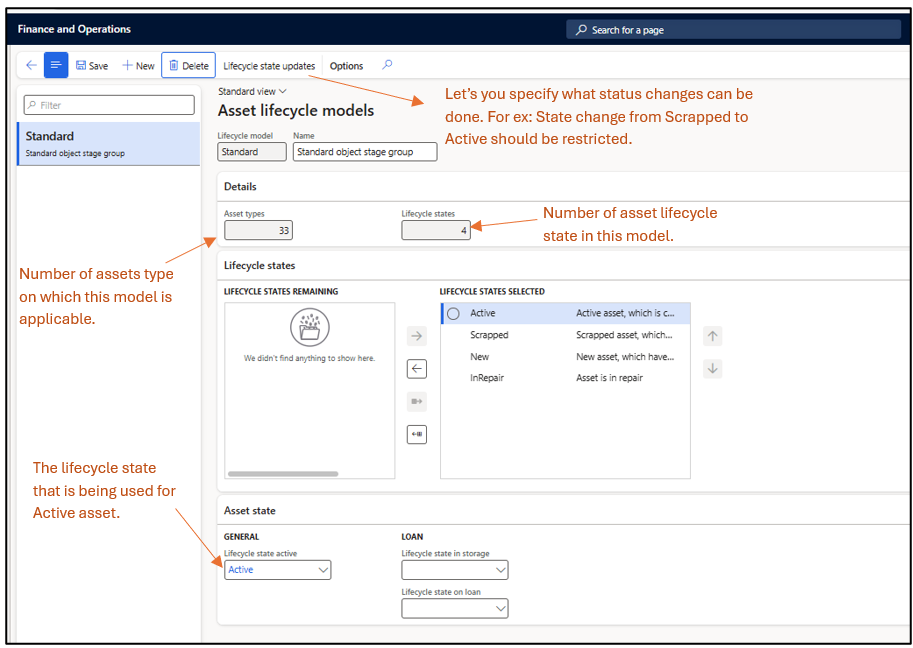
2) Asset Lifecycle Model: An asset lifecycle model is a collection of asset lifecycle states that are applicable to a specific type of asset. Typically, one lifecycle model is sufficient, but if different asset types require different state management, multiple lifecycle models can be created. This model is then attached on Asset type and is applicable for all the assets under that type.
Asset Management–> Setup–> Assets –> Lifecycle Model
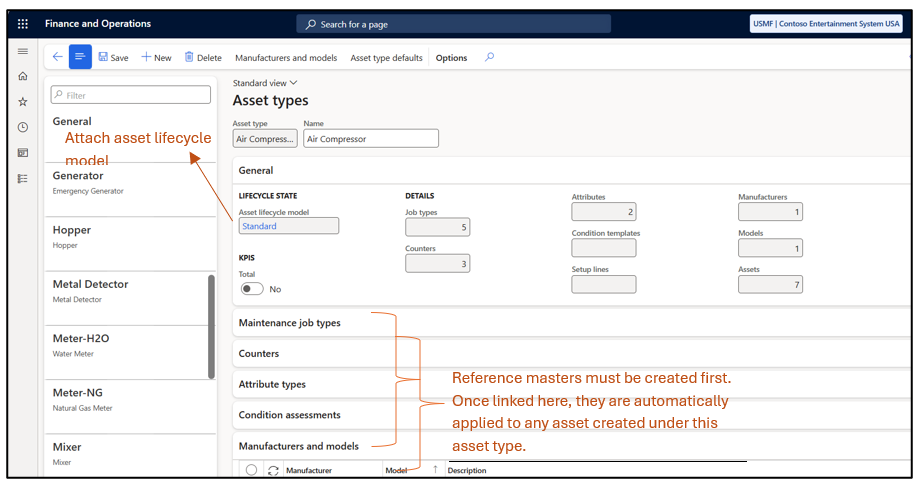
3) Asset Types: Asset type, groups similar assets and automatically apply predefined settings asset type to all assets in that group.
Asset Management–> Setup–> Asset Types–> Asset Type
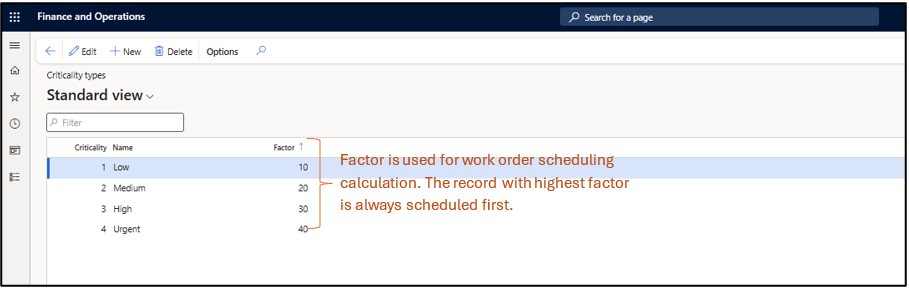
4) Criticality Types: Asset criticality is related to assets and are transferred on the work orders that would be created reflecting the criticality of the work order.
Asset Management–> Setup–> Asset–> Criticality Type
5) Asset Criticalities: After setting up the criticality type, it must be assigned to assets. This is done using the Asset Criticalities form, where criticality can be defined based on functional location, asset type, manufacturer, model, asset, job type category, job type, job type variant, and job requirement. Basically, depicting that the asset on this functional location or asset type or manufacturer is critical.
Asset Management–> Setup–>Asset Criticalities
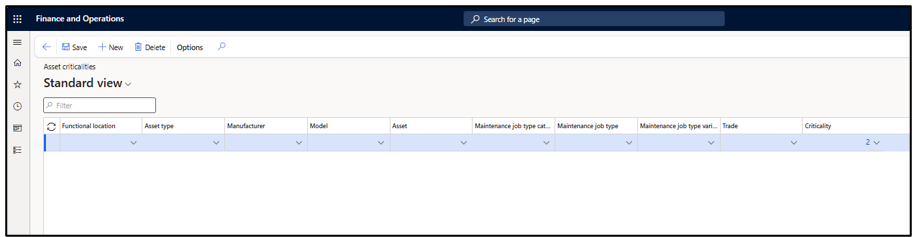
Note: It is not mandatory to define criticality for every asset. However, a default line with a default criticality must be created in the system; otherwise, the system will throw an error while creating a work order.
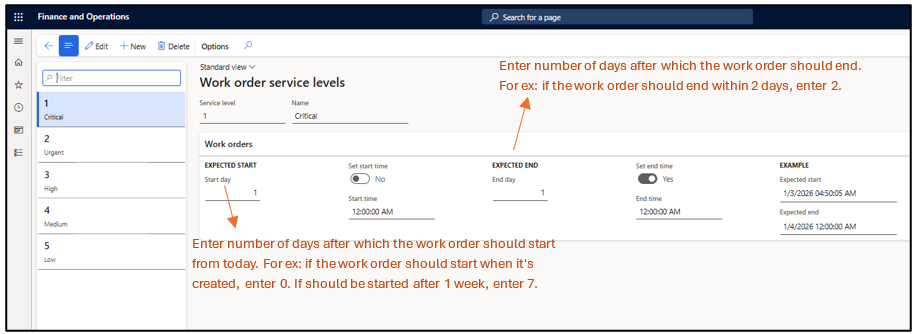
6) Service Level: Asset service levels are related to assets and are transferred to maintenance requests and work orders. They are used to calculate the priority of work orders during work order scheduling and is used in combination with the criticality factor.
You can define a start date, end date, and time, which the system uses to calculate the work order schedule. This helps set priorities—for example, a criticality of 1 means the work is urgent and should be completed within 1 day, while a criticality of 4 means the work can start after 4 days (Start day) and be completed within one week (End Day).
Asset management > Setup > Work orders > Service level
7)Asset Service Level: After setting up the service level, it must be assigned to assets. This is done using the Asset service level form, where service can be defined based on functional location, asset type, manufacturer, model, asset, work order type. Basically, depicting that this asset or a particular functional location has a certain service level.
Asset management > Setup > Asset service levels
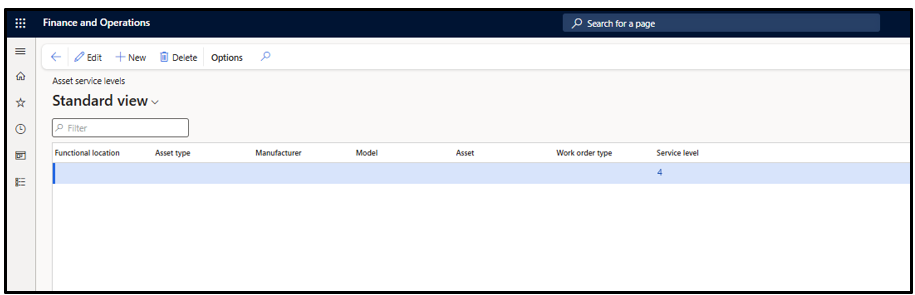
Note: It is not mandatory to define service level for every asset. However, a default line with a default service level must be created in the system; otherwise, the system will throw an error when creating a maintenance request.
8) Functional location State: Functional location states define the current status of a functional location. These are configurable and can be set based on business needs, such as Active or Ended.
Asset management > Setup > Functional locations > Lifecycle states
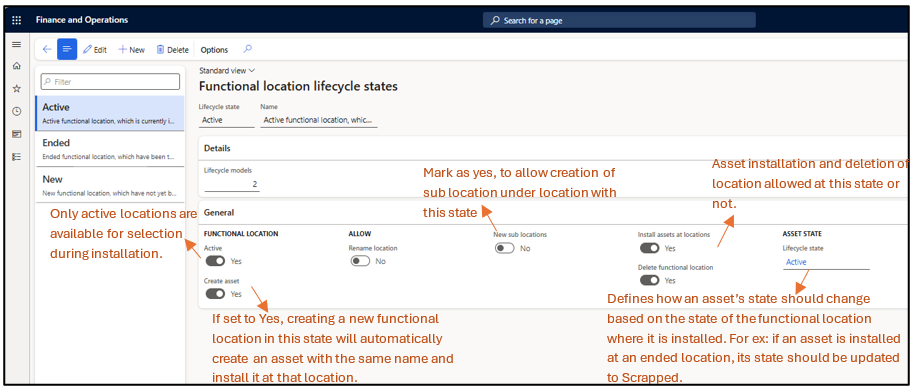
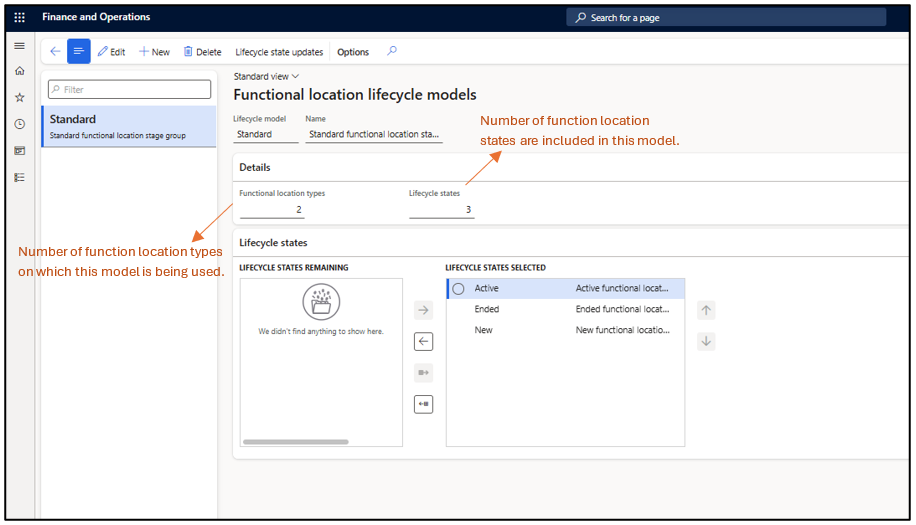
9) Functional location Model: A Functional lifecycle model is a collection of functional location lifecycle states that are applicable to a specific type of location. Typically, one lifecycle model is sufficient, but if different location types require different state management, multiple lifecycle models can be created. This model is then attached on functional location type and is applicable for all the locations created under that type.
Asset management > Setup > Functional locations > Lifecycle Model
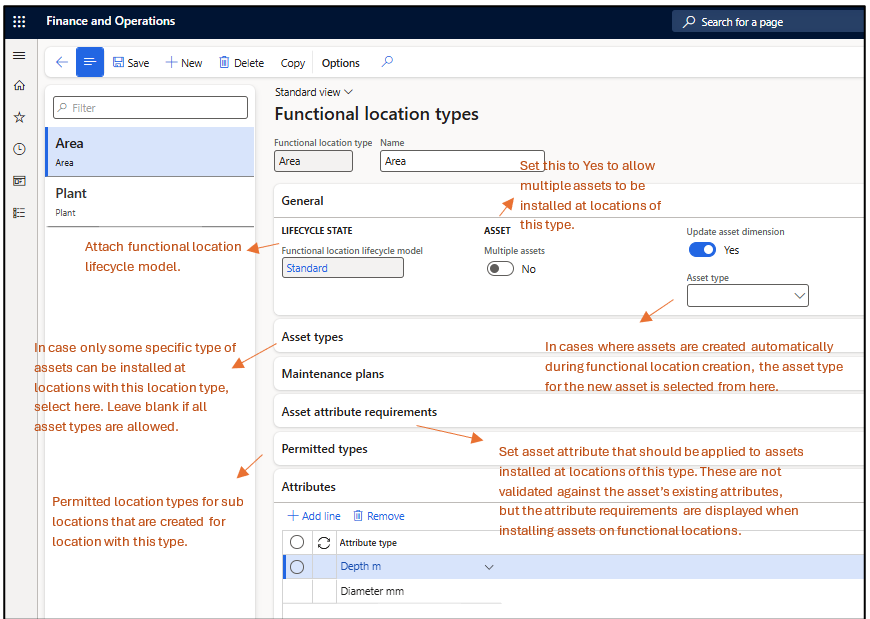
10)Functional Location Type: Functional location types are used to categorize functional locations. It helps group similar locations (such as plant, building, or production line) and ensure consistent settings across all locations of the same type. You can set up asset types, maintenance plans, functional location attributes, and asset attribute requirements to be used on a functional location that uses the specific functional location type.
Asset Management > Setup > Functional locations > Functional locations